
Guide
A safer way to send documents than a chat message
- Expiry
- 2 minutes to 7 days
- Opens
- Once, 3 times or 10 times
- Extra lock
- Optional 4-digit code
Sending your passport as a chat photo is handy for ten minutes and permanent for everyone else. A link you can switch off is a better habit.

A real moment
“Your visa agent asks for your passport, bank statement and photo on chat. You send all three in a minute. Two years later they are still on the agent's phone, in their backup, and maybe in a group you never knew about.”
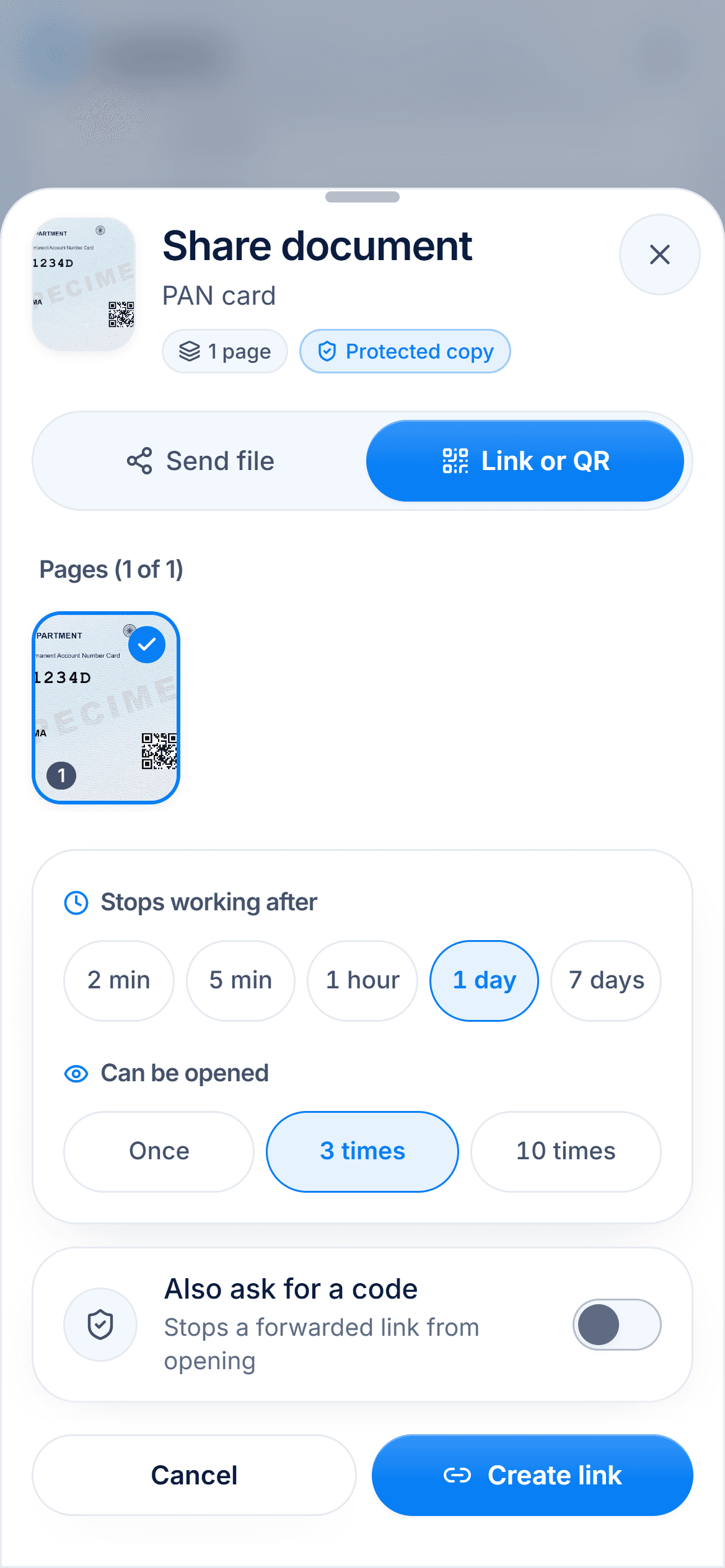
Send a link that expires instead of a file. In DigiSafe you choose how long it lasts (2 minutes to 7 days), how many times it opens, and whether it needs a 4-digit code. You can stop it any time and watermark the copy with its purpose.
Links expire in 2 minutes to 7 days
Opens once, 3 or 10 times, then it stops
Stop a link the moment you want to
Expiry
2 minutes to 7 days
Opens
Once, 3 times or 10 times
Extra lock
Optional 4-digit code
Stop it
Any time, from the app
What happens to a file after you send it
It is saved to their phone, backed up to their cloud, forwarded to a colleague, and still there two years later. Nobody means any harm. That is simply how files behave.
Give it a deadline
Most sharing has a short life: an office needs to check a document today. A link that ends tonight fits that job better than a file that lasts forever.

Say what it is for
A watermark that reads "Only for Bank KYC · 15 Sep 2026" makes a copy awkward to reuse anywhere else. It costs you one tap.

Send only what they need
If they need one page, send one page. If they need a set, send a pack with a cover page, so nothing gets lost and nothing extra goes with it.

Watch it
Share links that expire, in 16 seconds
Share a link or QR code that stops after 2 minutes to 7 days, opens once or a few times, and can ask for a 4-digit code.
Step by step
- 1
Open the document in DigiSafe and tap Share.
- 2
Choose Link or QR.
- 3
Set a short expiry and an open limit.
- 4
Add a 4-digit code if it matters.
- 5
Turn on a watermark, and hide the Aadhaar number if it is an Aadhaar copy.
- 6
Send it, and stop the link once they are done.
Questions people ask
Does the other person need the app?+
No. The link opens in any browser, and they can download a PDF.
Can I tell whether they opened it?+
Yes. The link shows the time left and whether it has been opened.
What if I sent it to the wrong person?+
Stop the link. It stops opening for everyone straight away.
Should I send the 4-digit code in the same message?+
Better not. Send the link one way and tell them the code another way, for example on a phone call.