

Step 1: Scan or import
Hold your phone over a document and DigiSafe shoots when it's steady, or bring in photos and PDFs you already have.

How it works

From the paper in your hand to a link someone opens once, with your documents encrypted on your own phone the whole way.
How it works
From the paper in your hand to a link someone opens once. Keep scrolling and follow the plane.
Scroll to fly
Hold your phone over a document and DigiSafe shoots when it's steady, or bring in photos and PDFs you already have.
Everything is encrypted on your phone before it's backed up. The same PIN opens it on every device.
Send one document or a whole pack as a link that stops after the time you choose, watermarked for its purpose.
How it works
Hold your phone over a document and DigiSafe shoots when it's steady, or bring in photos and PDFs you already have.
Everything is encrypted on your phone before it's backed up. The same PIN opens it on every device.
Send one document or a whole pack as a link that stops after the time you choose, watermarked for its purpose.
You make an account with your email, choose the countries whose papers you keep, and set a 6-digit PIN. That PIN, together with your password, produces the key that locks your vault. It takes about two minutes, and after that the app opens with no signal.
They live on your phone, and an encrypted copy is backed up so a new device can catch up after you sign in. That is why opening a document is instant and works on a flight, and why losing your phone does not lose your papers.

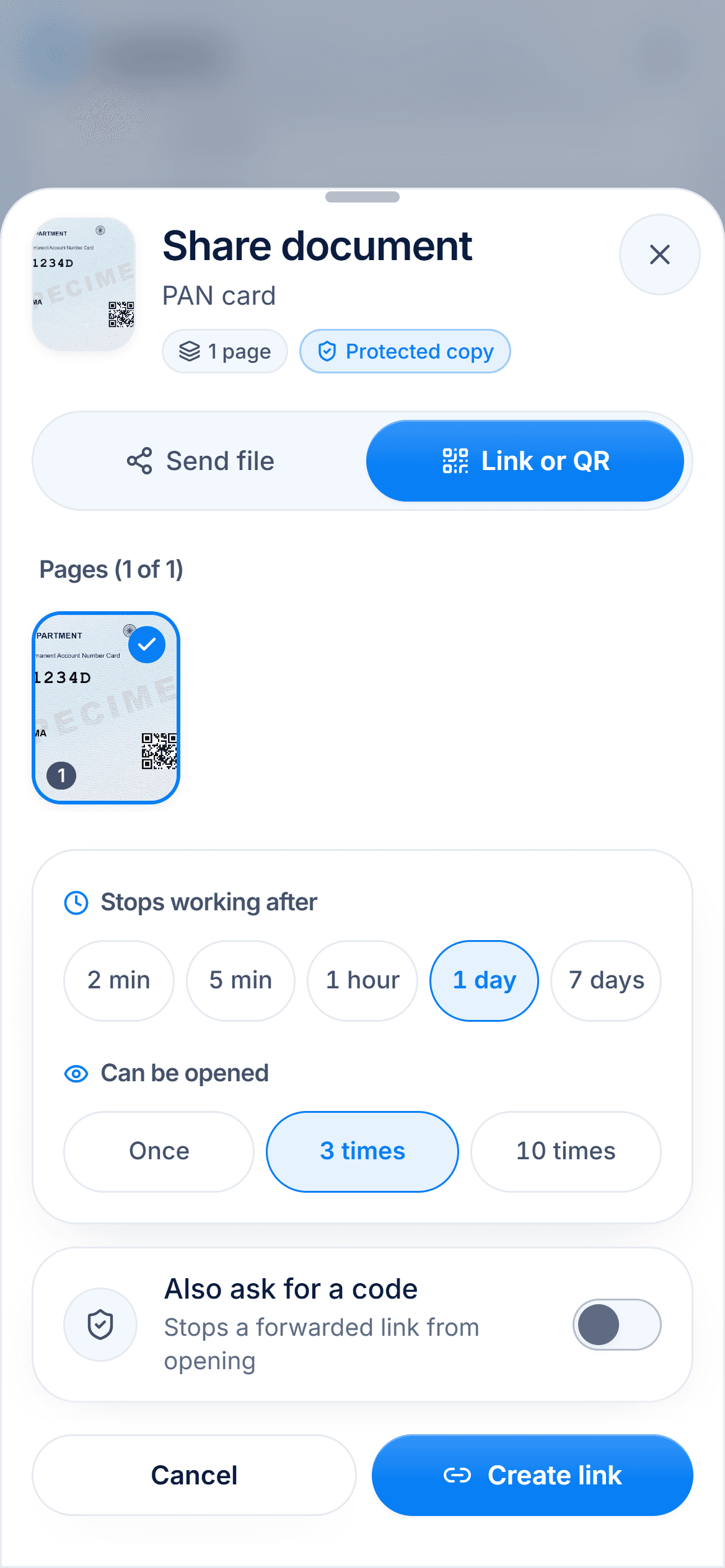
You pick the document, choose how it goes out (a file, a link or a QR code), how long the link should last and how many times it can be opened, and whether to stamp it with its purpose. The person at the other end needs no account and no app.
Watch the full guide · 7 minutes
From installing DigiSafe to scanning, sharing safely, packs, bills, family folders and working offline. Jump straight to the part you need.
Jump to a chapter
Open DigiSafe and create an account with your email.
Pick the countries whose documents you keep.
Choose a 6-digit PIN, and turn on fingerprint unlock if your phone has it.
Scan your first document, starting with the one you would hate to lose.
DigiSafe runs in your browser and installs to your home screen from there. On Android and desktop it installs in a tap; on iPhone you add it from Safari's Share menu.
About two minutes: an email, a password, your countries and a PIN.
Yes. Sign in on the laptop and the same PIN opens the same vault.
Sign in on a new device with your password and PIN, and your documents are there. Sign out of the lost device from Account, then Sign-in & devices.
