
Number reader
Copy your passport and PAN numbers instead of retyping them
- Reads
- Passport, PAN, Aadhaar, Aadhaar VID, voter ID, driving licence, vehicle number, IFSC, date of birth, valid until
- Where
- On your phone. The reader downloads once, then works offline
- Aadhaar
- Stays hidden until you tap the eye

One wrong character in a passport number can send a whole form back to you. DigiSafe reads the numbers off the document itself and gives each one a Copy button.

A real moment
“It is late at night, and the visa form wants your passport number. You find the photo, zoom in and type it one character at a time. Was that a zero or the letter O?”
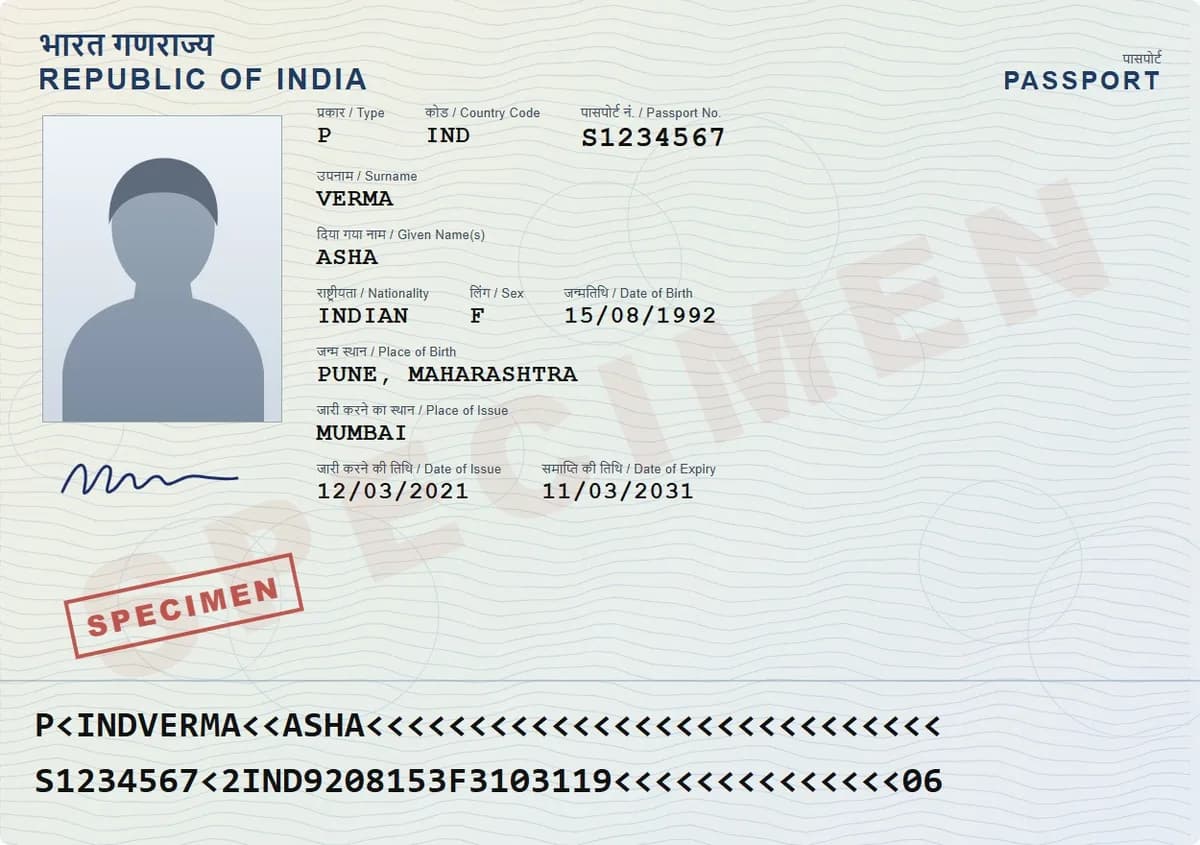
DigiSafe reads document numbers from your scans on your phone: passport, PAN, Aadhaar, voter ID, driving licence, vehicle number, IFSC, date of birth and expiry dates. Each has a Copy button, and nothing is sent anywhere to be read.
Watch it
DigiSafe's number reader in 16 seconds
Tap Copy instead of typing long numbers
Reads the machine lines at the bottom of a passport
Aadhaar stays hidden until you tap the eye
Reads
Passport, PAN, Aadhaar, Aadhaar VID, voter ID, driving licence, vehicle number, IFSC, date of birth, valid until
Where
On your phone. The reader downloads once, then works offline
Aadhaar
Stays hidden until you tap the eye
Kept
Numbers clear after 5 minutes or when the app locks
Tap Copy, not twenty keys
Every number it finds gets its own Copy button. Filling a form becomes a tap, not a squint. Dates work the same way, such as your date of birth or a valid-until date.
It reads the lines made for machines
At the bottom of a passport are two rows of letters and <<< marks. They hold your number, date of birth and expiry date in a form built for machines. DigiSafe reads them, so passport details come out right even on a worn page.

It knows where a card belongs
When it recognises a card, it suggests the right folder, for example "Looks like a PAN card". Your vault stays tidy, and you never file anything by hand.

Read on your phone, then cleared
The reader runs inside the app. It is about 4 MB, downloads the first time you use it, then works with no connection. Numbers clear after 5 minutes or when the app locks, and they never sit on our servers in a form anyone can read.
How to do it
- 1
Open a scanned document in DigiSafe.
- 2
Scroll to "Numbers on this document".
- 3
Tap the eye if you want to see an Aadhaar number.
- 4
Tap Copy next to the number you need.
- 5
Paste it into your form.
Questions people ask
Is my Aadhaar number sent anywhere?+
No. The reading happens on your phone, and the number stays hidden until you tap the eye. Anything stored is encrypted on your device first.
Which countries' documents can it read?+
Most of the formats it knows are Indian. Passport numbers and dates work more widely, because passports share a standard layout.
Does it work offline?+
Yes, after the first time. The reader is about 4 MB and downloads once. After that it works with no connection.
What if it reads a number wrongly?+
You can always read the scan yourself in the app. The numbers are a shortcut. The scan itself is the record.

