Install
Download DigiSafe free to your home screen.

It is free and installs from your browser in a tap. No app store download, and it works offline once it is there.

Three taps on any device.
Works in Chrome. No app store, no download queue.

Watch the walkthrough
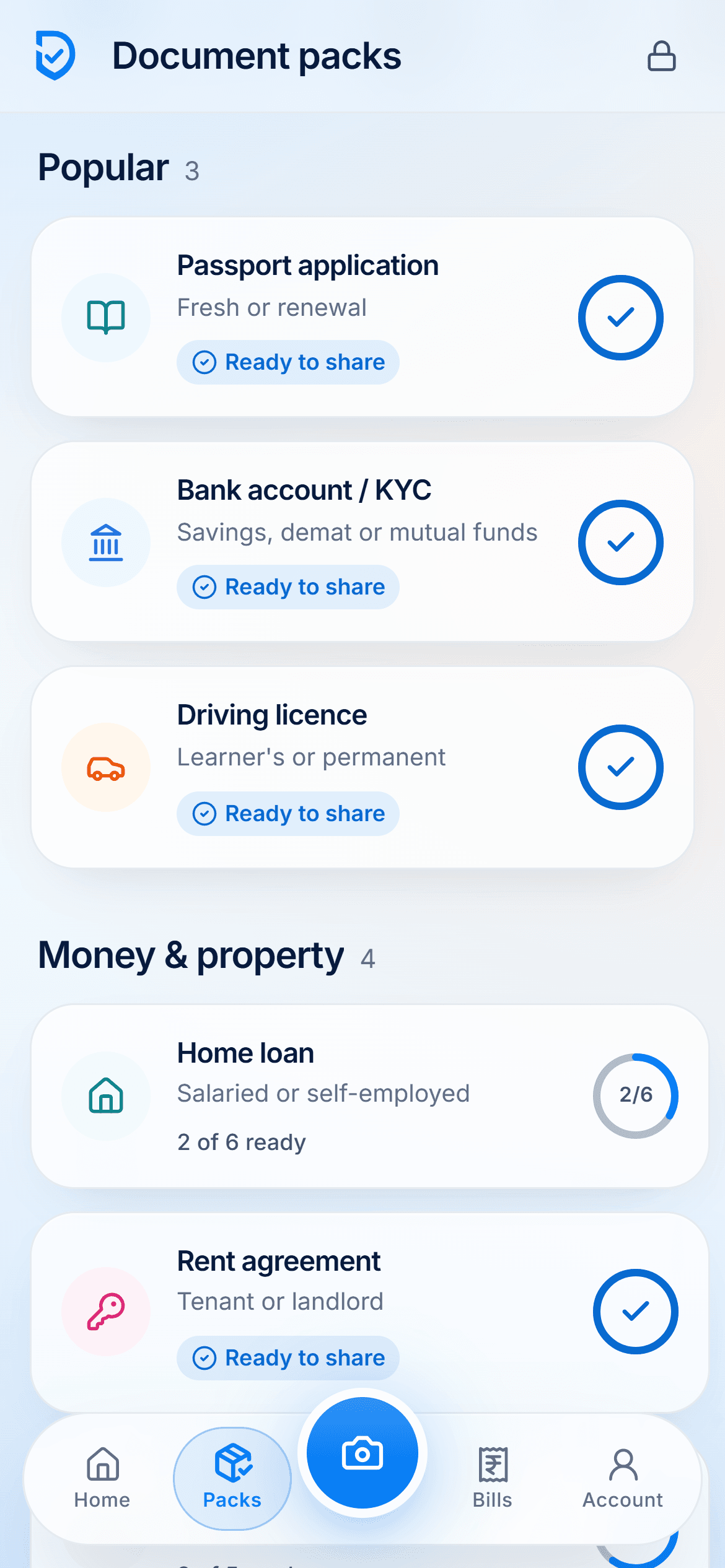
Watch it done, start to finish
Installing DigiSafe from the browser, creating an account, and setting up your vault and PIN, in about a minute and a half.
Read the transcript+
Hey, ever lost your Aadhaar card or your PAN card right when you needed it? Meet DigiSafe: every important paper, safe in one place.
First, let's install it like an app. Tap Install DigiSafe. Then tap Install, and that's it. Now it's right there on your home screen. One tap and it opens. No browser needed.
Let's create your account. Tap Get started. Your name, your email, and a strong password. Tick the box to agree to the terms. Tap Continue and we'll email you a code. Type in the six-digit code and you're in.
Now set up your vault. India is already picked for you. Choose what you want to keep safe. Just you, or your whole family? Expiry reminders are on, so nothing runs out by surprise. Only you hold the keys. Not even DigiSafe can open your files.
Now set a 6-digit PIN. And look, the numbers change places every time. Turn on fingerprint unlock and pick when it locks itself. Make it yours: light or dark, and your favourite font. Tap Open my vault. And that's it! Welcome to your vault!
Now, let's look around your account. Your profile, security, backup and more, all in one place. Change your PIN or set the auto-lock time. Like dark mode? Just tap Dark. Easy on the eyes at night.
Everything is backed up and still encrypted. Your data, your choice: download it all, anytime. And if you ever need help, a real person replies.
Step by step, for every device
DigiSafe is free today. There is nothing to download from an app store: your browser installs it, and it then opens like any other app.
Install on Android, with Chrome
- Open DigiSafe in Chrome. Go to app.digisafe.kavionsolutions.in.
- Tap Install. Use the install banner, or tap the ⋮ menu, then Install app or Add to Home screen.
- Open it like any app. It sits with your other apps, with no browser bar.
Install on iPhone or iPad, with Safari
- Open DigiSafe in Safari. Go to app.digisafe.kavionsolutions.in.
- Share, then Add to Home Screen. Tap the Share button (the square with an arrow), scroll down and tap Add to Home Screen.
- Tap Add. DigiSafe appears on your home screen.
Apple does not show an install button, so the Share menu is the way in.
Install on a computer, with Chrome or Edge
- Open DigiSafe in Chrome or Edge. Go to app.digisafe.kavionsolutions.in on your computer.
- Click the install icon. It is at the right of the address bar, or in the browser menu under Install DigiSafe.
- It opens in its own window. Sign in with the same account and PIN as on your phone.
On a Mac with Safari, choose File, then Add to Dock.
Reading this on a computer?
Scan this with your phone camera to open DigiSafe there, then add it to your home screen. Your account works on both.
After you install
- 1
Sign in, or create an account with your email.
- 2
Pick your countries so your folders match your papers.
- 3
Choose a 6-digit PIN, and turn on fingerprint unlock.
- 4
Scan your first document.
Questions people ask
Is DigiSafe on the Play Store or App Store?+
Not yet. DigiSafe installs straight from your browser today, and it behaves like any other app once it is on your home screen.
Is the DIGISAFE app on Google Play the same app?+
No. The DIGISAFE listing on Google Play is an unrelated lending app from another company. DigiSafe, the encrypted document vault by Kavion Solutions, installs from your browser at app.digisafe.kavionsolutions.in.
Does installing take much space?+
No. The app itself is small; your documents take whatever space they take on your device.
Can I use it without installing?+
Yes. Open it in your browser and sign in. Installing mainly makes it quicker to reach and better offline.
Will it work offline after installing?+
Yes. Once you sign in, your documents open with no connection, and changes back up when you are online again.