
Warranty reminders
Get reminded before a warranty runs out, not after
- Warranty lengths
- 6 months, 1, 2, 3 or 5 years, or a date you pick
- Reminder
- 7, 15 or 30 days before it ends (30 by default)
- Calendar
- Add it to your phone's calendar, alerting at 9am

Warranties end quietly, and nobody tells you. Scan the bill, set the length, and DigiSafe reminds you while a repair is still free.

A real moment
“Your mixer grinder stops working, and you are sure it is still under warranty. You search the drawer, your email and three shopping bags. When the bill finally turns up, the warranty ended two weeks ago.”
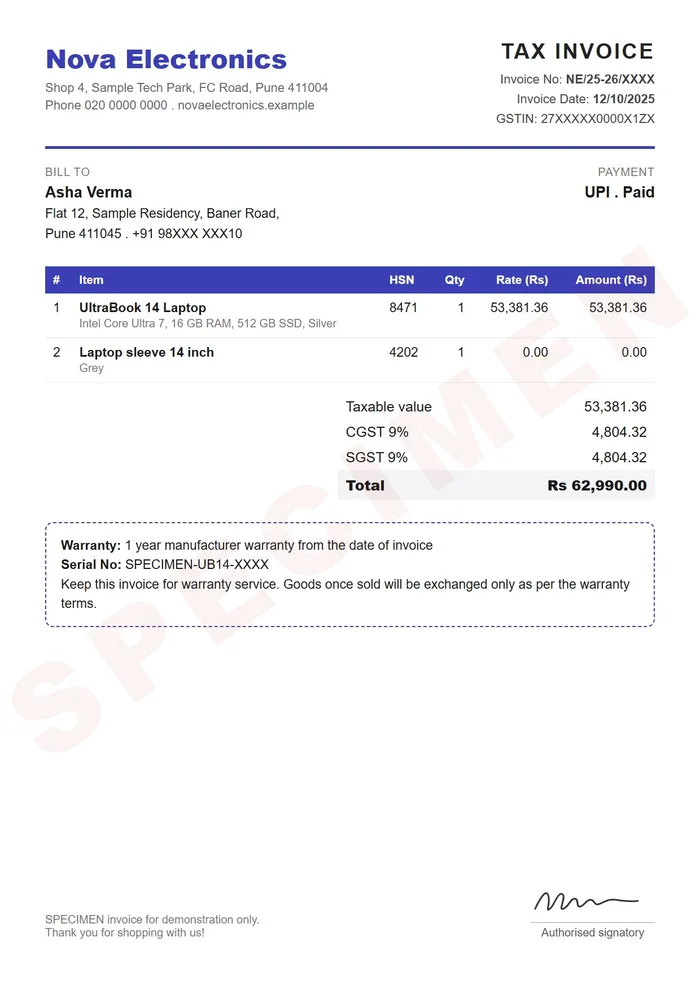
DigiSafe keeps your bills and their warranties together. Choose 6 months, 1, 2, 3 or 5 years, or a date, and get a reminder 7, 15 or 30 days before it ends. Reminders can also go into your phone's calendar at 9am.
Watch it
Warranty reminders in 16 seconds
A reminder 7, 15 or 30 days before the end
Suggests the purchase date and total from the bill
Goes into your phone's calendar at 9am
Warranty lengths
6 months, 1, 2, 3 or 5 years, or a date you pick
Reminder
7, 15 or 30 days before it ends (30 by default)
Calendar
Add it to your phone's calendar, alerting at 9am
From the bill
Suggests the purchase date and the total
The bill is the proof
A reminder is no use without the receipt. The bill sits right next to the warranty. When you call the shop, the date, the amount and the document are all in one place.
It reads the bill for you
Scan a receipt, and DigiSafe suggests the purchase date and the total. Setting up a warranty becomes a quick check, not a form to fill.

A nudge while there is time
Choose a reminder 7, 15 or 30 days before the end. 30 days is already set for you. Add it to your phone's calendar too, and it alerts you at 9am.

On Home, where you will see it
Anything ending soon shows on the Home screen. You see it while there is still time to book a repair.
How to do it
- 1
Scan the bill.
- 2
Check the purchase date and total it suggests.
- 3
Set the warranty length, or pick the end date.
- 4
Choose a reminder: 7, 15 or 30 days before.
- 5
Add it to your calendar for a second nudge.
Questions people ask
Does DigiSafe remind me about passports or licences too?+
Yes. DigiSafe reads the expiry date from a passport, licence, insurance or RC scan where it can, or you add it, and reminds you 60 days before, 7 days before and on the day. See document expiry reminders.
Which warranty lengths can I choose?+
6 months, 1, 2, 3 or 5 years. For anything else, such as an extended warranty, pick the exact end date.
Do reminders work offline?+
The warranty list is on your phone, so you can see what is ending at any time. A calendar reminder is handled by your phone's own calendar.

