
Guide
e-Aadhaar password: how to open your Aadhaar PDF
- Name part
- First 4 letters, in capitals
- Year part
- Year of birth, YYYY
- Example
- SURESH KUMAR, 1990: SURE1990

Your e-Aadhaar PDF is locked with a password made from your own details: the first 4 letters of your name in capitals, then your year of birth. Here is UIDAI's rule, its examples for short names and initials, and what to check when the PDF still will not open.

Checked against the official sources on 6 October 2026. DigiSafe is a private app, not connected with these offices.
A real moment
“You downloaded your e-Aadhaar for a bank form. The PDF asks for a password, and your Aadhaar number does not work.”
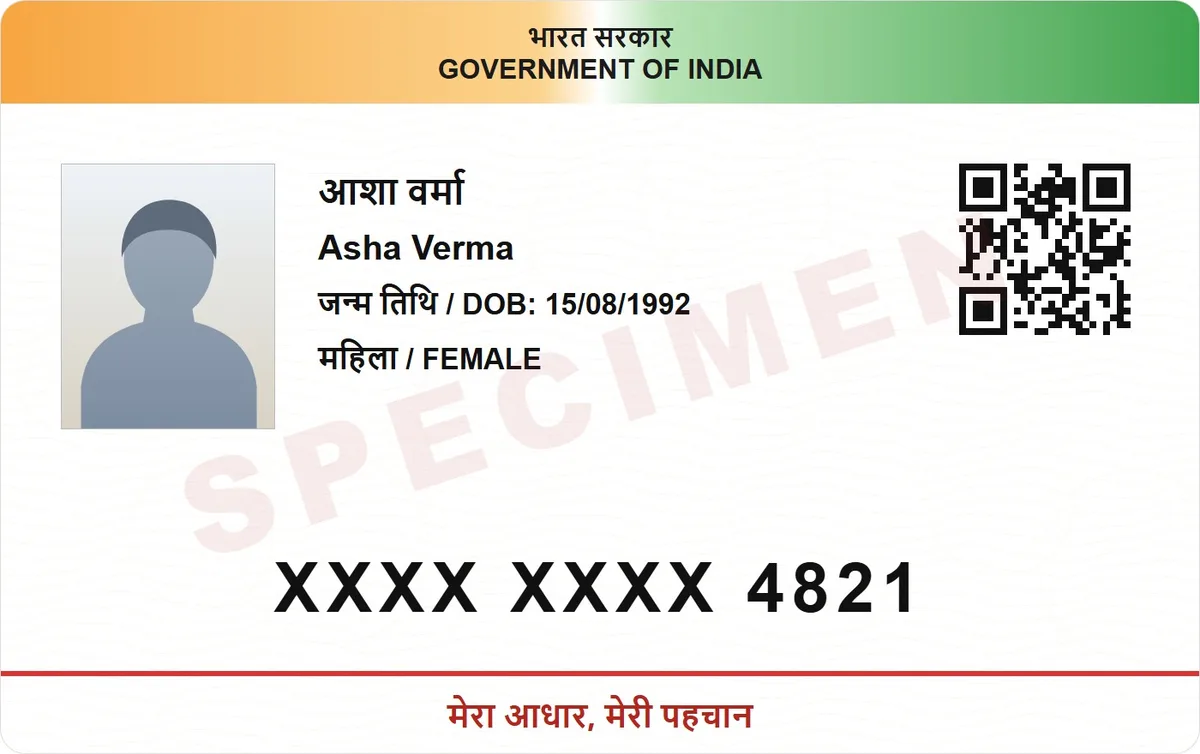
UIDAI says the e-Aadhaar password is a combination of the first 4 letters of your name in capitals and your year of birth (YYYY). For SURESH KUMAR, born in 1990, it is SURE1990. Use the name as it is on your Aadhaar.
UIDAI's own examples of the e-Aadhaar password
| Name on Aadhaar | Year of birth | Password | What it shows |
|---|---|---|---|
| SURESH KUMAR | 1990 | SURE1990 | First 4 letters, in capitals |
| SAI KUMAR | 1990 | SAIK1990 | The space is skipped |
| P. KUMAR | 1990 | P.KU1990 | The FAQ keeps the full stop; try PKUM1990 too |
| RIA | 1990 | RIA1990 | A short name is used whole |
The rule from UIDAI's own FAQ
UIDAI's examples, including short names
What to check when it still fails
Name part
First 4 letters, in capitals
Year part
Year of birth, YYYY
Example
SURESH KUMAR, 1990: SURE1990
Source
UIDAI e-Aadhaar FAQ
The rule, from UIDAI
UIDAI's FAQ says the password of e-Aadhaar is a combination of the first 4 letters of your name in capitals and your year of birth in 4 digits. It is not your Aadhaar number, your PIN code or your full date of birth.

UIDAI's own examples
SURESH KUMAR, born 1990: SURE1990. SAI KUMAR, born 1990: SAIK1990, so the space is skipped and the count goes on into the next word. P. KUMAR, born 1990: P.KU1990, so in the FAQ a full stop counts as one of the 4 characters (the download page drops it; see below). RIA, born 1990: RIA1990, so a name shorter than 4 letters is used as it is.

Still says wrong password?
Check these. Type the letters in capitals, as UIDAI's rule says. Use the name as it is printed on your Aadhaar, including initials, not a short name you use day to day. Use only the year of birth from your Aadhaar, in 4 digits, not the full date. Name with a full stop or apostrophe? UIDAI gives two answers: its FAQ keeps the full stop (P. KUMAR: P.KU1990), while the myAadhaar download page drops punctuation (R.P.Singh: RPSI1989, D'SOUZA ALEX: DSOU1989). Try both.

Need a fresh copy first?
Download the e-Aadhaar from UIDAI's myAadhaar site with your Aadhaar number, Virtual ID or enrolment number, and the OTP sent to your registered mobile. UIDAI's Aadhaar app can download it too. You can choose a masked copy on myAadhaar, which shows only the last 4 digits. UIDAI says you need Adobe Reader to view the digitally signed PDF, and its YouTube tutorial shows how to validate the signature.
Printing it or sending it as an image
Many PDF tools, including the free ones on this site, cannot open a locked file. Open the e-Aadhaar with its password and save an unlocked copy, then turn it into a JPG with the free PDF to JPG tool; the ID card print tool takes that JPG. Both work on your device, so the file is not uploaded.

Keep it ready for the next form
Save an unlocked copy of your e-Aadhaar in DigiSafe (it cannot add a locked PDF), encrypted on your phone, with the option to hide the first 8 digits on copies you send. Lose your phone? Sign in on a new one with your password and PIN, and it comes back. DigiSafe is free today, with no ads.
Watch it
Hide your Aadhaar number, in 16 seconds
DigiSafe hides the first 8 digits of your Aadhaar on a copy, and can stamp what the copy is for across it.
Step by step
- 1
Take the name exactly as printed on your Aadhaar.
- 2
Write its first 4 characters in capitals, skipping spaces.
- 3
Add your year of birth in 4 digits.
- 4
Type it with no spaces, for example SURE1990.
- 5
Still failing? Recheck the spelling and initials on your Aadhaar.
Questions people ask
What is the Aadhar card PDF password?+
UIDAI says it is the first 4 letters of your name in capitals followed by your year of birth in 4 digits. For SURESH KUMAR born in 1990, it is SURE1990.
What if my name has fewer than 4 letters?+
Use the whole name. UIDAI's example is RIA, born in 1990, whose password is RIA1990.
What if my name has a space or an initial?+
Skip the space: SAI KUMAR becomes SAIK1990. For a full stop or apostrophe, UIDAI gives two answers. Its FAQ keeps the full stop (P. KUMAR: P.KU1990), but the myAadhaar download page drops punctuation (R.P.Singh: RPSI1989). If one fails, try the other.
What is the UIDAI password for the Aadhaar PDF?+
There is no separate UIDAI password to remember. The PDF you download from UIDAI opens with the first 4 letters of your name in capitals followed by your year of birth, such as SURE1990.
Is the password my date of birth?+
No, only the year of birth, in 4 digits, after the first 4 letters of your name in capitals.
Does the masked Aadhaar use a different password?+
UIDAI's FAQ gives one password rule for e-Aadhaar and no separate one for the masked copy, which myAadhaar also describes as password protected. Try the same password: the first 4 letters of your name in capitals, then your year of birth.
Is DigiSafe connected with UIDAI?+
No. DigiSafe is a private app, not connected with UIDAI. Download your e-Aadhaar only from UIDAI, on the myAadhaar site or UIDAI's Aadhaar app.
Where this comes from
Official sources, dated.
Every official detail on this page comes from the pages listed here, last checked on 6 October 2026. Fees, rules and links can change after that date. DigiSafe is a private app, not connected with these offices, and cannot guarantee them, so check the official page before you pay or rely on them.