





Compare
DigiSafe vs Proton Drive: two encrypted homes for your documents
- Our take
- Use both
- Sources
- 7 official pages
- Checked
- 2 October 2026

Proton Drive and DigiSafe both encrypt your files so the company storing them cannot read them. The difference is what each one is built for.

A real moment
“You want your passport and PAN somewhere private, not in an ordinary cloud drive. Proton Drive came up first, and you wonder whether a general drive is the right tool for ID papers.”
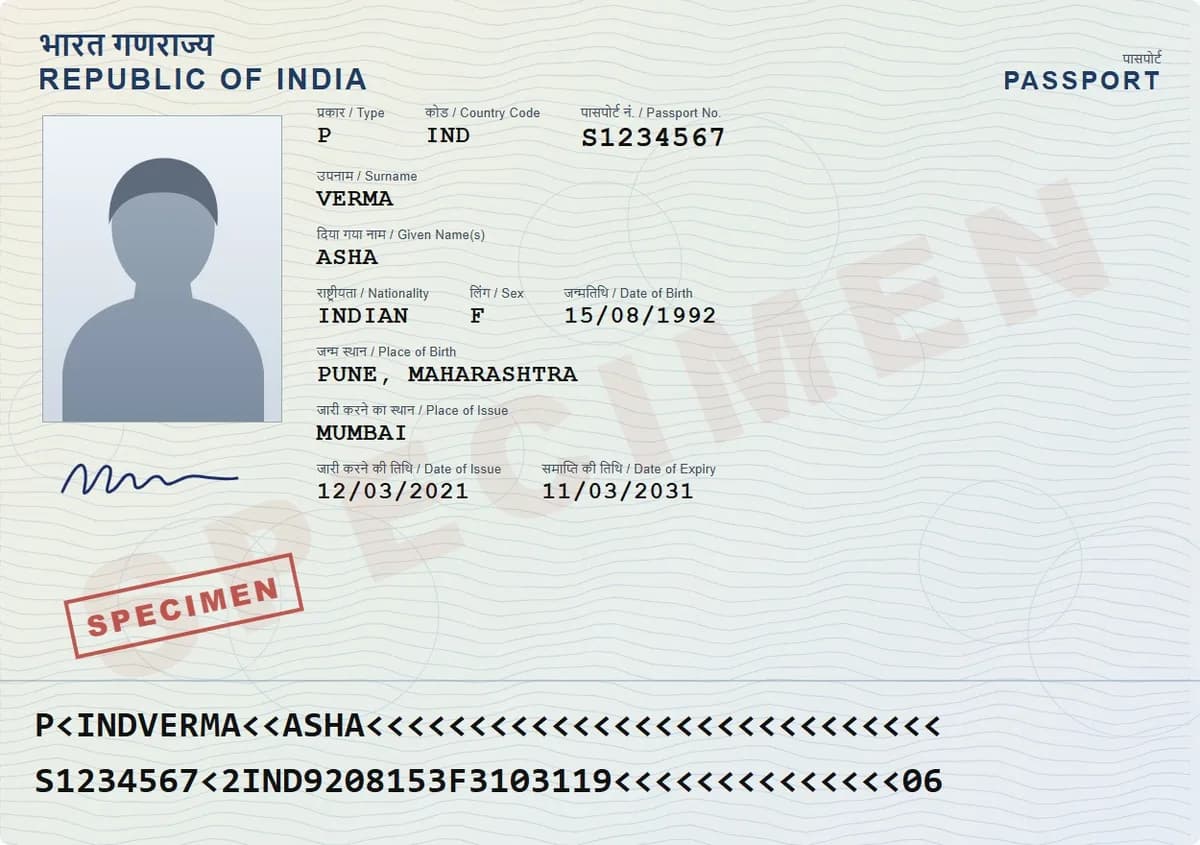
Both encrypt end to end. Proton Drive is private storage for any file, with a 5 GB free plan that starts at 2 GB, and desktop sync. DigiSafe is built around ID papers: a scanner, a number reader, masked Aadhaar, watermarks, links that stop after a set time or number of opens, and document checklists. It is free.
Which one is for you
Pick DigiSafe
Use DigiSafe for ID papers, certificates and bills you scan, share with offices now and then, and keep ready for applications.
Pick Proton Drive
Use Proton Drive for private storage and sync of every kind of file, with desktop apps and large paid plans.
They work well together: Proton Drive for general private files, DigiSafe for the ID papers you share with offices.
Side by side
Facts about Proton Drive from its own pages, checked 2 October 2026.
Made by
DigiSafe
Kavion Solutions, IndiaProton Drive
ProtonBest for
DigiSafe
ID papers, certificates and billsProton Drive
Private storage for any fileEnd-to-end encryption
DigiSafe
Yes, on your device before backupProton Drive
YesFree plan
DigiSafe
Free, no subscriptionProton Drive
5 GB, starting at 2 GB until you finish a checklistDocument scanner
DigiSafe
Finds edges, straightens, scans both sides of an ID cardProton Drive
Detects the document, adjust edges, multi-page PDFShare links
DigiSafe
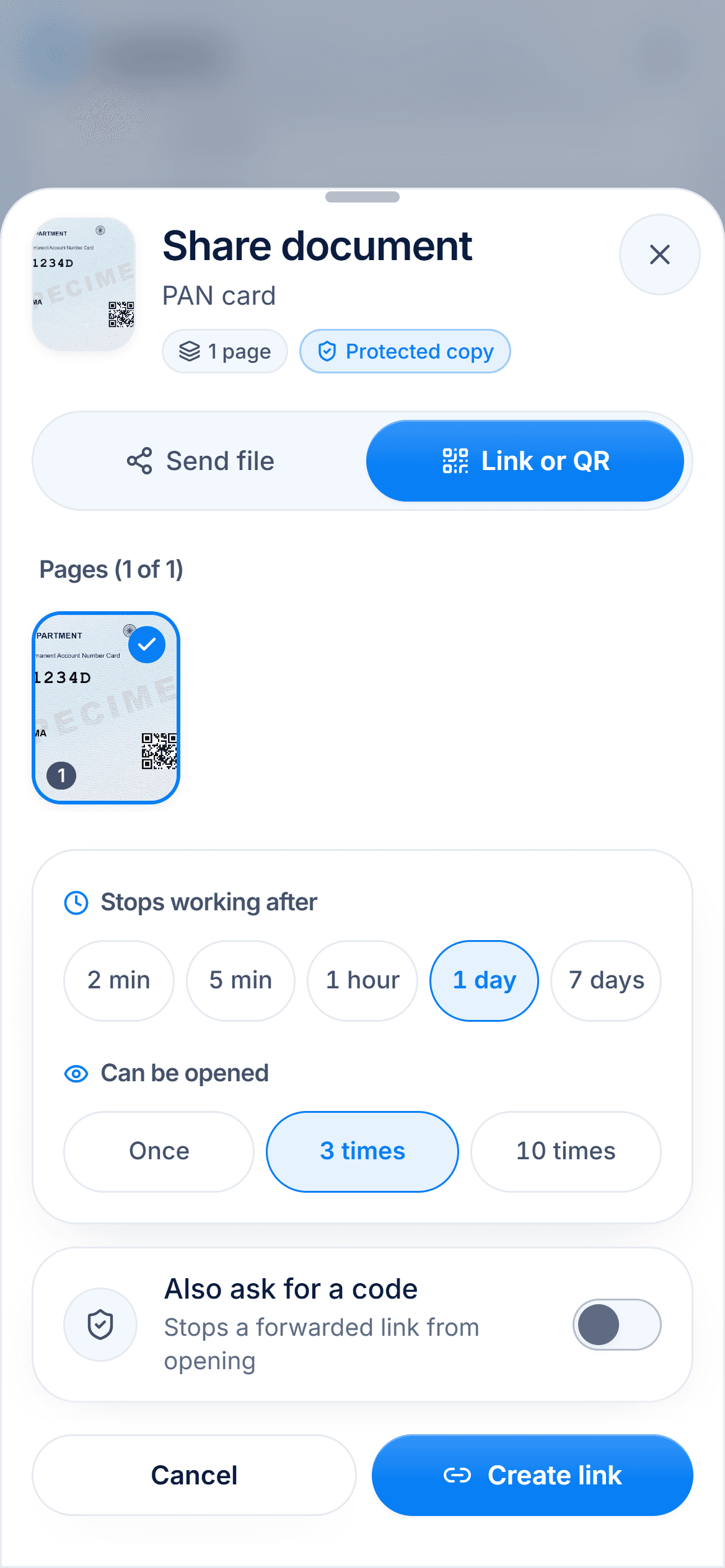
End after 2 minutes to 7 days or 1, 3 or 10 opens, with an optional 4-digit codeProton Drive
Optional password and expiry dateHide Aadhaar digits before sharing
DigiSafe
Yes, the first 8 digits and the QR codeProton Drive
Not in its help pagesReads ID numbers
DigiSafe
Passport, PAN, Aadhaar, voter ID and licence numbersProton Drive
Not in its help pagesOffline
DigiSafe
Your whole vaultProton Drive
Files you make available offlineOn a computer
DigiSafe
Installs from Chrome or Edge on Windows and MacProton Drive
Windows and macOS apps, Linux by command line
Proton Drive is a strong private drive
Proton says its end-to-end encryption means no one, not even Proton, can see your files or their names. It has folders, desktop apps for Windows and macOS, offline files on your phone and computer, and a family plan for up to 6 people. For storing and syncing any kind of file privately, it is a good choice.
Free space and price
Proton's free plan is listed as 5 GB, but you start with 2 GB and unlock the rest by completing a getting-started checklist within 30 days. Drive Plus, with 200 GB, was $4.99 a month, or $3.99 a month on a yearly promotion, when we checked. DigiSafe is free.

Built for ID papers
DigiSafe does the jobs ID papers need: it reads passport, PAN and Aadhaar numbers, hides the first 8 Aadhaar digits, stamps a copy with its purpose, shrinks a file to the size a form asks for, and gathers the papers an application needs into one pack.
Sharing a copy with an office
Both let you share a link with an expiry date, and Proton lets you add a password. DigiSafe adds a limit on how many times the link opens, a 4-digit code, and a masked or watermarked copy, so what you hand over cannot easily be reused.

How we checked
Fair, sourced and dated.
Every fact about Proton Drive on this page comes from its own official pages, listed here. We last checked them on 2 October 2026. Products change, so check the official page before you decide.
Questions people ask
Is Proton Drive good for storing ID documents?+
It is end-to-end encrypted, so it is a private place for any file, including ID scans. Its help pages do not describe ID tools such as Aadhaar masking or number reading; DigiSafe is built around those.
Does Proton Drive have a document scanner?+
Yes. On iOS and Android it detects the document, lets you adjust the edges, and saves the pages as a PDF.
How much free storage does Proton Drive give?+
5 GB, but you start with 2 GB and get the rest by completing Proton's getting-started checklist within 30 days of creating your account.
Can I move my documents from Proton Drive to DigiSafe?+
Yes. Download them from Proton Drive, then import up to 30 files at a time into DigiSafe, up to 30 MB each.
Read next
More comparisons
DigiSafe vs DigiLocker
DigiLocker and DigiSafe sound alike, but they do different jobs.

DigiSafe vs Google Drive
Google Drive is a good home for everyday files, and many people keep their ID papers there too.
DigiSafe vs WhatsApp
WhatsApp is end-to-end encrypted, so nobody can read your document on the way.

DigiSafe vs phone gallery
Your gallery is where every ID photo ends up by default.

DigiSafe vs Ente Locker
Ente Locker is Ente's document vault, separate from Ente Photos.

DigiSafe vs 1Password
1Password is one of the best-known password managers, and it can hold passport and licence details too.
Give your papers a proper home. Free, and locked.
DigiSafe is free, encrypted on your device, and it works offline.