
Guide
PAN card PDF password: how to open your e-PAN
- Protean e-PAN
- Date of birth as DDMMYYYY
- Example
- 15 March 1990: 15031990
- UTIITSL
- No rule stated on its e-PAN page

Your e-PAN arrives as a locked PDF. If it came from Protean (formerly NSDL), the password is your date of birth in DDMMYYYY form. Here is that rule with Protean's own examples, what UTIITSL and the Income Tax Department say, and what to check when the PDF will not open.

Checked against the official sources on 14 October 2026. DigiSafe is a private app, not connected with these offices.
A real moment
“The bank wants your PAN today. You downloaded the e-PAN, the PDF asks for a password, and your PAN number does not open it.”
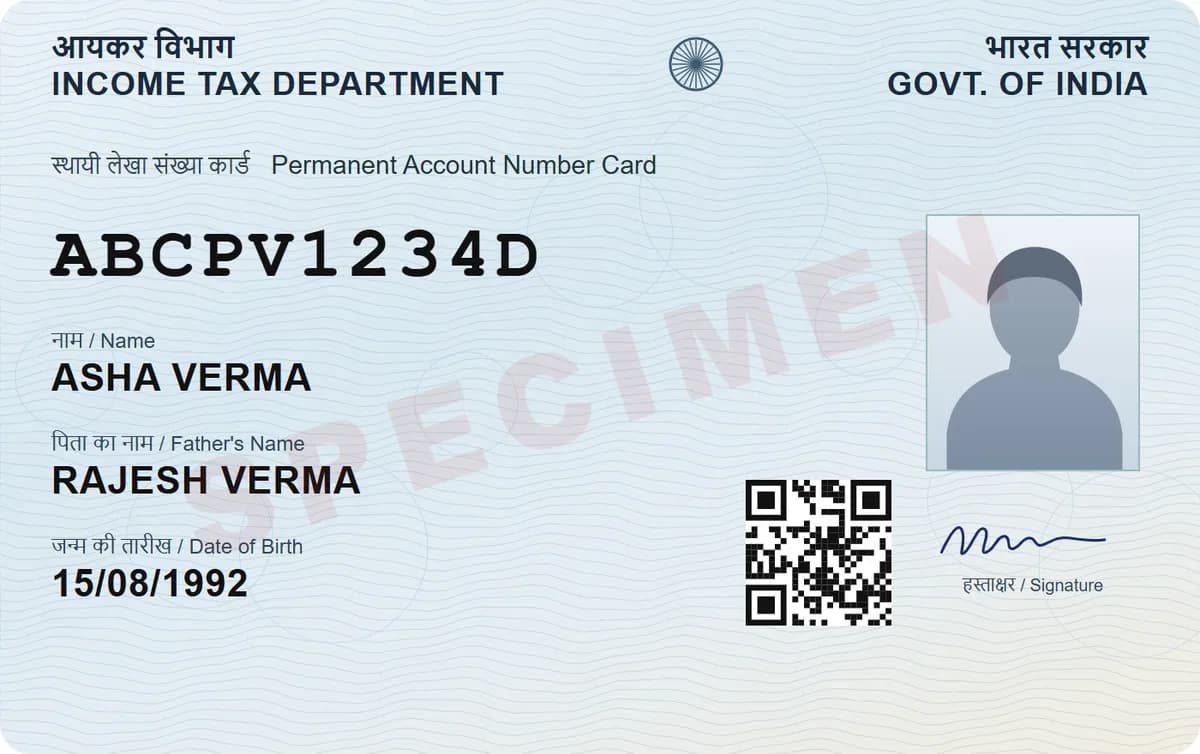
Protean says the password for your e-PAN PDF is your date of birth in DDMMYYYY form, so 15 March 1990 becomes 15031990. UTIITSL's e-PAN page and the Income Tax Department's Instant e-PAN FAQ page do not state a password rule, so if your e-PAN came from them, try the same format first and contact the agency if it fails.
Protean's own examples of the e-PAN password
| Date of birth | Password |
|---|---|
| 15 March 1990 | 15031990 |
| 05 January 1995 | 05011995 |
Protean's rule and examples
What UTIITSL and Instant e-PAN say
What to check when it fails
Protean e-PAN
Date of birth as DDMMYYYY
Example
15 March 1990: 15031990
UTIITSL
No rule stated on its e-PAN page
UTIITSL helpdesk
033 40802999
The Protean rule
Protean says the password to open your e-PAN PDF is your date of birth in the DDMMYYYY format: two digits for the day, two for the month and four for the year, with nothing in between. Its examples are 15031990 for 15 March 1990 and 05011995 for 05 January 1995.

e-PAN from UTIITSL
UTIITSL emails the e-PAN to the email address in your PAN records, after an OTP sent to that email. Its e-PAN page does not state a password rule. If the date of birth in DDMMYYYY form does not open it, call the UTIITSL helpdesk on 033 40802999, which the page lists for any discrepancy in a downloaded e-PAN.

Instant e-PAN from the Income Tax site
If you got your PAN through Instant e-PAN on the Income Tax e-filing site, the Income Tax Department's Instant e-PAN FAQ page does not state a password rule either. Try your date of birth in DDMMYYYY form, and if that fails, use the help options on the e-filing site.
Still says wrong password?
Put the day first, then the month, then the year. Keep the leading zero, so 5 January is 05 and not 5. Type it with no slashes, dots or spaces, and use the date of birth printed on your PAN card, which may differ from the one you usually give.
Printing it or sending it as an image
Many PDF tools, including the free ones on this site, cannot open a locked file. Open the e-PAN with its password and save an unlocked copy, for example by printing it to a new PDF. Then turn it into a JPG with the free PDF to JPG tool; the ID card print tool takes that JPG. Both work on your device without uploading the file.

Save it once, copy your PAN later
Save the unlocked copy in DigiSafe (it cannot add a locked PDF), encrypted on your phone, and the number reader gives you the PAN with a Copy button when a form asks. Lose your phone? Sign in on a new one with your password and PIN, and it comes back. DigiSafe is free today, with no ads.
Watch it
DigiSafe's number reader in 16 seconds
Passport, PAN, Aadhaar, voter ID and licence numbers are read on your phone, each with a Copy button.
Step by step
- 1
Find the agency that sent your e-PAN: Protean, UTIITSL or the Income Tax site.
- 2
Type your date of birth as DDMMYYYY, for example 15031990.
- 3
Keep leading zeros, and leave out slashes and spaces.
- 4
Still locked? Contact the agency that issued the e-PAN.
- 5
Opened it? Save an unlocked copy, for example by printing it to a new PDF.
Questions people ask
What is the PAN card PDF password?+
For an e-PAN from Protean, it is your date of birth in DDMMYYYY form, so 15 March 1990 becomes 15031990.
What is the password for an e-PAN from UTIITSL?+
UTIITSL's e-PAN page does not state one. Try your date of birth in DDMMYYYY form, and if it fails, call the UTIITSL helpdesk on 033 40802999.
Why does my date of birth not open the PDF?+
Check the order (day, month, year), keep leading zeros, leave out slashes and spaces, and use the date of birth printed on your PAN card.
Is the e-PAN valid without the plastic card?+
Yes. Protean says that according to the Central Board of Direct Taxes, the e-PAN card is a valid proof of PAN for all purposes.
Is DigiSafe connected with the Income Tax Department?+
No. DigiSafe is a private app, not connected with the Income Tax Department, Protean or UTIITSL. Download your e-PAN only from their official sites.
Where this comes from
Official sources, dated.
Every official detail on this page comes from the pages listed here, last checked on 14 October 2026. Fees, rules and links can change after that date. DigiSafe is a private app, not connected with these offices, and cannot guarantee them, so check the official page before you pay or rely on them.