








Guide
Forgot your PAN number? How to find it from official sources
- Aadhaar login
- Works when Aadhaar is linked with your PAN
- Instant e-PAN status
- Aadhaar and an OTP, for e-PANs issued that way
- Protean helpline
- +91-20-27218080, 7 am to 11 pm daily

Start with papers that already carry your PAN. If you are registered on the Income Tax e-filing site and your Aadhaar is linked with your PAN, log in with your Aadhaar and read your PAN on your profile. Never apply for a second one.

A real moment
“A form wants your PAN today. The card is in a drawer at your parents' house, and you never wrote the number down anywhere.”
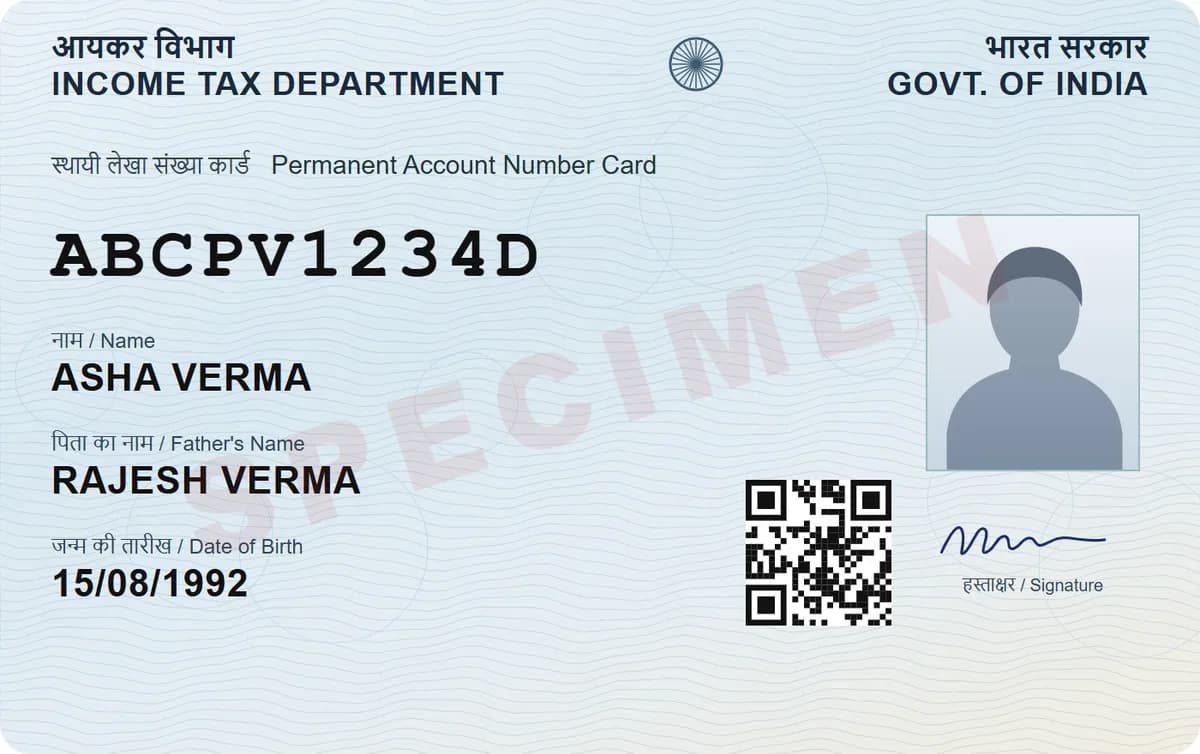
Look at papers that carry your PAN: a photo of the card, an e-PAN PDF or a past Form 16 from your employer. If you are registered on the Income Tax e-filing site and your Aadhaar is linked with your PAN, log in with your Aadhaar number as the user ID and open My Profile. Do not apply for a new PAN.
Fees as listed on 6 October 2026. They come from the official pages in the sources below and can change at any time. DigiSafe cannot guarantee them, so check the official page before you pay.
Where your PAN is already printed
The official routes that still work
Why a second PAN is a costly mistake
Aadhaar login
Works when Aadhaar is linked with your PAN
Instant e-PAN status
Aadhaar and an OTP, for e-PANs issued that way
Protean helpline
+91-20-27218080, 7 am to 11 pm daily
A second PAN
Against the law; penalty up to Rs 10,000
How to know your PAN card number from papers you already have
Search your phone's photos and your email for a picture of the card, or an e-PAN PDF from Protean or UTIITSL. If an employer deducted tax from your salary in past years, Part A of the Form 16 they gave you lists your PAN.

Log in with your Aadhaar and read it on your profile
If you have registered on the Income Tax e-filing site and your Aadhaar is linked with your PAN, the site accepts your Aadhaar number as the user ID. Forgot the password? Its Forgot Password service can reset it with an Aadhaar OTP. Once you are in, My Profile shows your PAN details.
If your PAN came through Instant e-PAN
The e-filing site's Check Status / Download e-PAN page asks for your 12-digit Aadhaar and a one-time password sent to the mobile number registered with it. It shows e-PANs allotted through Instant e-PAN; for a PAN issued through Protean or UTIITSL, use the routes above.

Ask Protean's PAN helpline
The Income Tax Department lists +91-20-27218080 for queries on PAN applications and updates made through Protean (formerly NSDL), open from 7 am to 11 pm every day. Its contact page lists no separate line for PANs issued through UTIITSL. For those, the papers and the Aadhaar login above are your best routes.
Found a number? Check that it is yours
On the e-filing site, Verify PAN Status checks a PAN against your full name, date of birth and mobile number, with a one-time password. It confirms a PAN; it cannot find one for you.

Do not apply for a second PAN
Protean, which processes PAN applications for the Income Tax Department, says obtaining or possessing more than one PAN is against the law and may attract a penalty of up to Rs 10,000. If you already hold two, Protean says to file a change request that names the PAN you use.
Next time, keep your PAN one tap away
Scan your PAN card into DigiSafe once. It reads the PAN on your phone and keeps it next to the card with a Copy button. The scan is encrypted on your device before backup, and only you hold the key. Once you have signed in, it opens with no signal. Lose the phone? Sign in on a new one with your password and PIN, and your scans come back.
Watch it
DigiSafe's number reader in 16 seconds
Passport, PAN, Aadhaar, voter ID and licence numbers are read on your phone, each with a Copy button.
Step by step
- 1
Search your phone and email for a photo of the card or an e-PAN PDF.
- 2
Check a past Form 16 from your employer.
- 3
Aadhaar linked? Log in to the e-filing site with it and open My Profile.
- 4
Got your PAN through Instant e-PAN? Check its status with your Aadhaar.
- 5
For a PAN applied for through Protean, ask its helpline, +91-20-27218080.
- 6
Confirm the number with Verify PAN Status, then scan the card into DigiSafe.
Questions people ask
Can I find my PAN number with my Aadhaar number?+
Yes, in two cases. If you are registered on the e-filing site and your Aadhaar is linked with your PAN, log in with your Aadhaar as the user ID and open My Profile. If your PAN came through Instant e-PAN, its Check Status page takes your Aadhaar and an OTP.
Can I find my PAN with my name and date of birth?+
Not on the e-filing site. Its Verify PAN Status service asks for the PAN as well as your name, date of birth and mobile number, so it confirms a PAN rather than finding one.
Should I apply for a new PAN if I forgot mine?+
No. Protean says obtaining or possessing more than one PAN is against the law and may attract a penalty of up to Rs 10,000. Find your existing PAN instead.
Where else is my PAN printed?+
On an e-PAN PDF from Protean or UTIITSL, and on Part A of a Form 16 from any employer that deducted tax from your salary. A photo of the card in your phone or email works too.
Is the Know Your PAN service still available?+
Not among the e-filing site's quick links: when we checked in October 2026 they offered Verify PAN Status and Instant E-PAN instead. Verify PAN Status needs the PAN itself, so use it to confirm a number you have found.
Can I log in to the e-filing site without my PAN?+
Yes, if your Aadhaar is linked with your PAN: the e-filing site accepts that Aadhaar number as your user ID, and you can reset a forgotten password with an Aadhaar OTP. Otherwise your PAN is your user ID.
Where this comes from
Official sources, dated.
Every official detail on this page comes from the pages listed here, last checked on 6 October 2026. Fees, rules and links can change after that date. DigiSafe is a private app, not connected with these offices, and cannot guarantee them, so check the official page before you pay or rely on them.
- 1Income Tax Department: Change Your Password FAQ (Aadhaar as user ID)incometax.gov.in
- 2Income Tax Department: My Profile user manualincometax.gov.in
- 3Income Tax Department: Verify Your PAN user manualincometax.gov.in
- 4Income Tax Department: Instant e-PAN user manualincometax.gov.in
- 5Income Tax Department: Contact us (helplines)incometax.gov.in
- 6Protean: PAN FAQs (general)tinpan.proteantech.in
- 7TRACES: Form No. 16 format (PDF)traces61contents.tdscpc.gov.in