








Guide
DigiLocker vs UMANG vs mParivahan: which government app does what
- DigiLocker
- Documents issued to you, plus your uploads
- NextGen mParivahan
- Virtual licence and RC, vehicle checks
- UMANG
- Government services in one app

DigiLocker holds documents that government departments and agencies issue to you. UMANG puts many central, state and local government services in one app. NextGen mParivahan is the transport app for your licence, RC and vehicle checks. Under a 2018 transport ministry advisory, a licence or RC fetched into either app is legally recognised like the original at a traffic check.

A real moment
“A traffic officer asks for your licence and RC. DigiLocker, mParivahan and UMANG all sit on your phone, and you are not sure which one to open.”
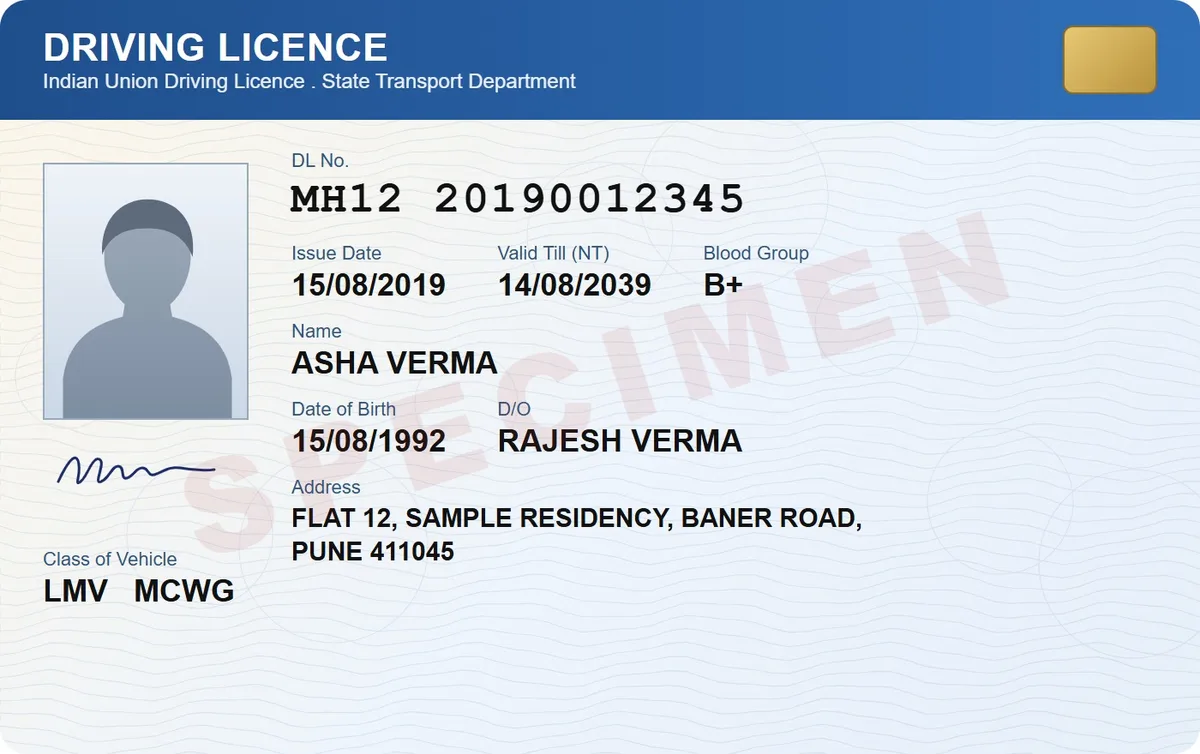
Open DigiLocker or NextGen mParivahan. A 2018 transport ministry advisory says a licence and RC fetched into either is legally recognised like the original. UMANG is for government services, such as an application or a status check. Your own scans, like a rent agreement or bills, go in DigiSafe.
DigiLocker, mParivahan, UMANG and DigiSafe side by side
| App | Made by | What it is for | Your own papers? |
|---|---|---|---|
| DigiLocker | National e-Governance Division | Documents issued by government departments and agencies, fetched from the source, plus a Drive for files you upload | Yes, in DigiLocker Drive, kept apart from issued documents |
| NextGen mParivahan | National Informatics Centre | Virtual licence and RC with an encrypted QR code, licence checks and vehicle registration search | No |
| UMANG | MeitY and the National e-Governance Division | Central, state and local government services on app, web, SMS and IVR, linked with Aadhaar and DigiLocker | No |
| DigiSafe | Kavion Solutions | The papers you scan yourself, such as a rent agreement, bills, warranties and old documents, encrypted on your phone | Yes, encrypted on your device |
What each app is for
Which licence and RC copies are valid
Where your own papers should go
DigiLocker
Documents issued to you, plus your uploads
NextGen mParivahan
Virtual licence and RC, vehicle checks
UMANG
Government services in one app
Licence and RC
Fetched copies valid in DigiLocker or mParivahan (MoRTH, 2018)
DigiLocker: documents issued to you
Issued documents in DigiLocker come straight from the department that issued them, and show up as links in your Issued Documents section. Files you upload yourself sit apart, in DigiLocker Drive. DigiLocker's FAQ says a licence and RC shown through the Issued section are legally recognised at par with the originals.
NextGen mParivahan: your licence, RC and any vehicle
NextGen mParivahan comes from the National Informatics Centre. It creates a virtual licence and RC with an encrypted QR code. It also checks licence details and looks up any vehicle's registration, including insurance and fitness validity. As with DigiLocker, only a fetched licence or RC counts at a traffic check, not a scan you upload.

UMANG: many government services, one app
UMANG, developed by MeitY and the National e-Governance Division, brings services from central, state and local government into one app, also on the web, SMS and IVR. Its store listing says it links with Aadhaar and DigiLocker.

Which one to open
Stopped by traffic police? Show your licence and RC from DigiLocker or mParivahan. A form wants a document a department issued to you? Fetch it from DigiLocker. Need a government service, such as an application or a status check? Use UMANG. A form wants your rent agreement, a bill or an old marksheet? Share your scan from DigiSafe.
Where DigiSafe fits
DigiLocker Drive can hold files you upload, so use both: DigiLocker for what departments issue to you, DigiSafe for the papers you scan yourself, such as a rent agreement, a medical report, bills and warranties. Each page is encrypted on your phone before backup, and only you hold the key. A DigiSafe scan is your own copy, so at a traffic check, show the licence and RC from DigiLocker or mParivahan.

Step by step
- 1
Link your Aadhaar in DigiLocker and fetch your issued documents.
- 2
Fetch your licence and RC into DigiLocker or NextGen mParivahan; a scan you upload does not count.
- 3
Use UMANG when you need a government service.
- 4
Scan everything else into DigiSafe: rent agreement, bills, old papers.
- 5
Share copies from DigiSafe with links that expire.
Questions people ask
Is DigiLocker or mParivahan better for a driving licence?+
Either works. A 2018 transport ministry advisory says a licence or RC fetched into DigiLocker or mParivahan in electronic form is legally recognised at par with the original, so you can show the fetched copy in whichever app you have set up. A scan you upload yourself is not covered.
What is the difference between DigiLocker and UMANG?+
DigiLocker holds documents that government departments and agencies issue to you, plus files you upload. UMANG is a single app for many central, state and local government services, and its listing says it links with DigiLocker.
Are documents I upload to DigiLocker legally valid?+
Not in the way issued documents are. DigiLocker's FAQ says a licence and RC presented through the Issued section are recognised at par with the originals, under a transport ministry order. It makes no such claim for files you upload to DigiLocker Drive, so at a traffic check, show the issued version.
Do I need DigiSafe if I have DigiLocker?+
You do not need it for issued documents, which DigiLocker holds. DigiSafe helps with the papers you scan yourself, such as a rent agreement, bills, warranties and old documents. It encrypts each page on your phone, opens offline after sign-in, and shares copies with links that expire, a view limit or a 4-digit code. It is free today, with no ads.
Where this comes from
Official sources, dated.
Every official detail on this page comes from the pages listed here, last checked on 6 October 2026. Fees, rules and links can change after that date. DigiSafe is a private app, not connected with these offices, and cannot guarantee them, so check the official page before you pay or rely on them.
- 1DigiLocker: FAQsdigilocker.gov.in
- 2Google Play: DigiLocker (National e-Governance Division)play.google.com
- 3Google Play: NextGen mParivahan (National Informatics Centre)play.google.com
- 4Google Play: UMANG (MeitY)play.google.com
- 5MoRTH advisory on DigiLocker and mParivahan (8 August 2018, PDF)parivahan.gov.in
- 6PIB: Documents in DigiLocker and mParivahan valid (9 August 2018)pib.gov.in
Read next
DigiSafe vs DigiLocker
DigiLocker and DigiSafe sound alike, but they do different jobs.
Download driving licence and RC
A licence or RC fetched into DigiLocker or mParivahan counts like the original during a traffic check.
Download Aadhaar
e-Aadhaar is the official digital copy, signed by UIDAI and valid like the card.