
Guide
How to spot a KYC or Aadhaar scam before you send a copy
- Red flag
- A rush: blocked tonight, fine today, parcel held
- Never share
- An OTP, a PIN or your phone's screen
- Protect
- Lock your Aadhaar biometrics on myAadhaar

A KYC scam rarely looks like a scam. It looks like your bank, your SIM company or a courier, in a hurry, with a problem only you can fix today.

A real moment
“A message says your bank account will be blocked tonight unless you update your KYC. The link opens a page with your bank's logo, and then a caller asks you to read out the OTP you just got. The hurry is the trick.”
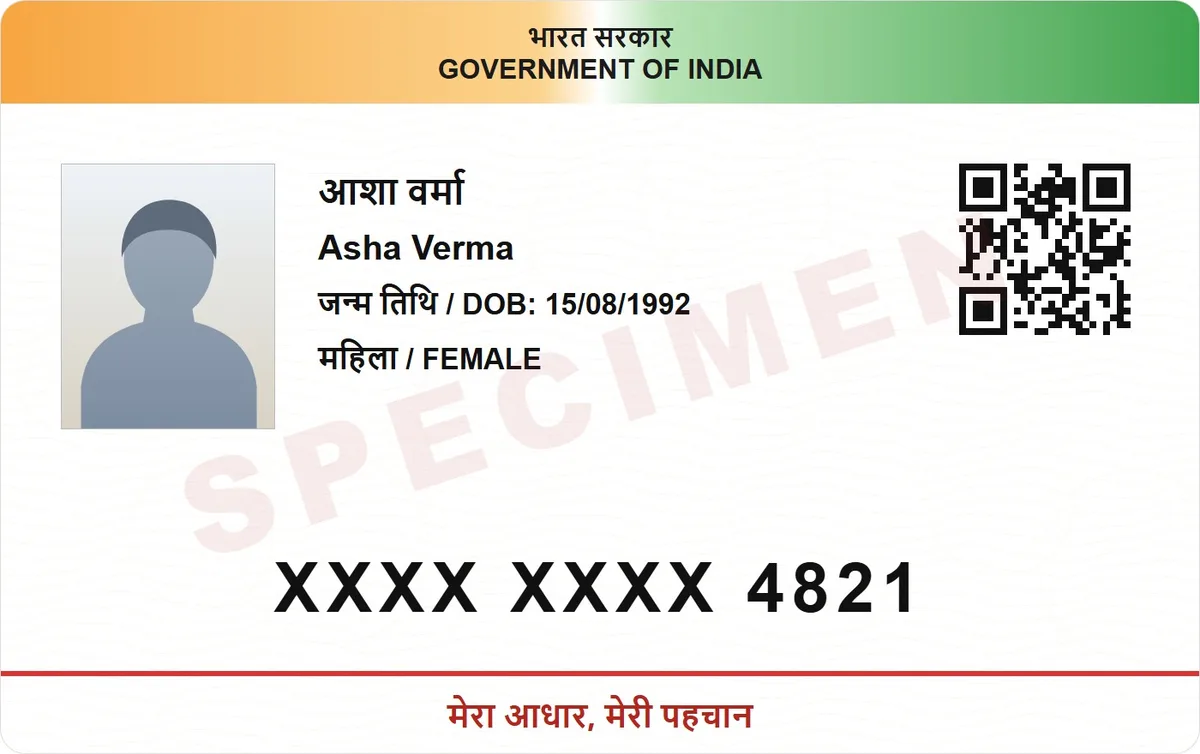
Treat any call or message that rushes you to update KYC, sends a link, asks for an OTP or wants you to install a screen sharing app as a scam. Hang up and call your bank on a number you looked up. If you lost money, call 1930 straight away.
The four signs that give a scam away
Lock your Aadhaar biometrics on myAadhaar
Report fraud on 1930 or cybercrime.gov.in
Red flag
A rush: blocked tonight, fine today, parcel held
Never share
An OTP, a PIN or your phone's screen
Protect
Lock your Aadhaar biometrics on myAadhaar
Report
Call 1930, or file at cybercrime.gov.in
The four signs
A rush: your account, SIM or parcel will be blocked today. A link to "update KYC" that is not your bank's own app or website. A request for an OTP, which is meant for you alone, never for a caller. And a request to install a screen sharing or remote access app. Any one of these is reason enough to hang up.

What to do instead
Hang up, then call your bank on the number printed on your card or in its official app. Update KYC only in the bank's own app or at a branch. If you already shared an OTP or card details, ask your bank to block the account, call 1930, the national helpline for cyber financial fraud, and file the complaint on cybercrime.gov.in. Speed matters.
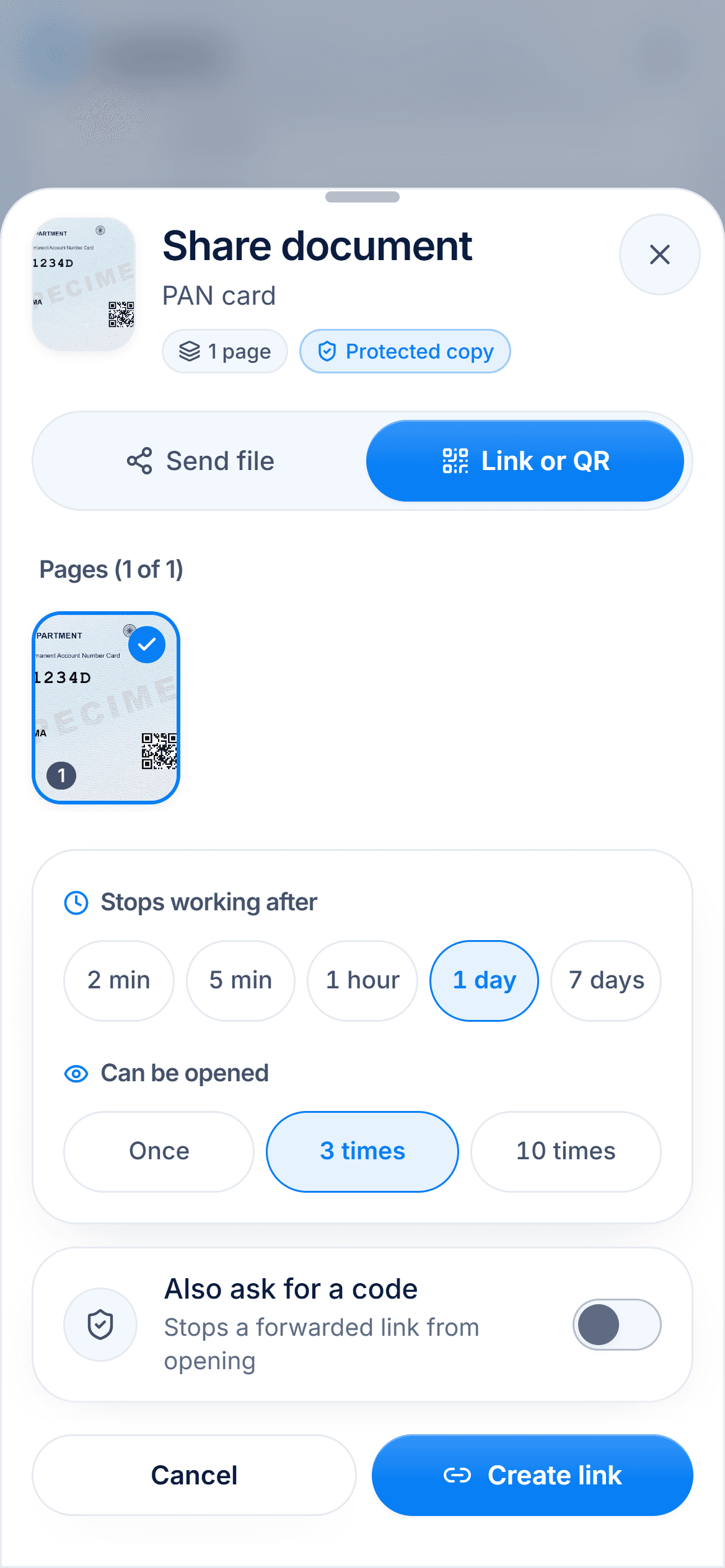
Lock your Aadhaar biometrics
On myAadhaar or the Aadhaar app, you can lock your fingerprints and iris, so nobody can use them to authenticate as you. You unlock them for the moment you need them, with an OTP to your registered mobile. You can also check your Aadhaar authentication history, which lists where your Aadhaar was used over the last six months.

Send less, and make it hard to reuse
When a real office needs your Aadhaar, send a copy with the first 8 digits and the QR code hidden, stamped with the purpose and the date, as a link that expires. If that copy ever turns up somewhere else, it is far less useful to whoever has it. UIDAI's own masked Aadhaar also hides the first 8 digits.
Step by step
- 1
Hang up on any caller who rushes you or asks for an OTP.
- 2
Call your bank back on the number printed on your card.
- 3
If you lost money, call 1930 and file a complaint on cybercrime.gov.in.
- 4
Lock your Aadhaar biometrics on myAadhaar or the Aadhaar app.
- 5
Check your Aadhaar authentication history for uses you do not recognise.
- 6
When an office needs a copy, send a masked, watermarked link that expires.
Questions people ask
Will my bank ask for an OTP on a call?+
Treat any such request as a scam. An OTP is for you to type in yourself, never to read out to someone who called you.
I sent my Aadhaar copy to a stranger. What now?+
Lock your biometrics on myAadhaar and check your authentication history. If you see a use you do not recognise, report it on cybercrime.gov.in and call UIDAI on 1947.
Does locking biometrics stop me using Aadhaar?+
It stops fingerprint and iris checks while the lock is on. You can unlock them for the moment you need them, with an OTP to your registered mobile.
A caller asked me to install an app to fix my KYC. Is that safe?+
No. Screen sharing and remote access apps let the caller see or control your phone, including OTPs as they arrive. Uninstall it and call your bank.
Read next
Aadhaar biometric lock
Locking your Aadhaar biometrics stops anyone using your fingerprint, iris or face for Aadhaar authentication, while OTP authentication keeps working.
Share Aadhaar safely
A masked Aadhaar shows only the last four digits of your number, with the first eight hidden.
Aadhaar masking
A masked Aadhaar shows only the last four digits.