








Guide
Passport photo size for an Indian passport, OCI, Indian visas and US visas
- Indian passport
- No photo needed at a Passport Seva Kendra
- Paper forms
- 4.5 x 3.5 cm, colour, white background
- OCI
- Square, 200 to 900 px, under 200 KB

Every form wants a slightly different photo. Here are the official sizes for an Indian passport, OCI, an Indian visa and a US visa, in centimetres, pixels and kilobytes.

A real moment
“The upload box says square, light background, under 200 KB. Your phone photo is 4 MB, tall, and taken against a white wall.”
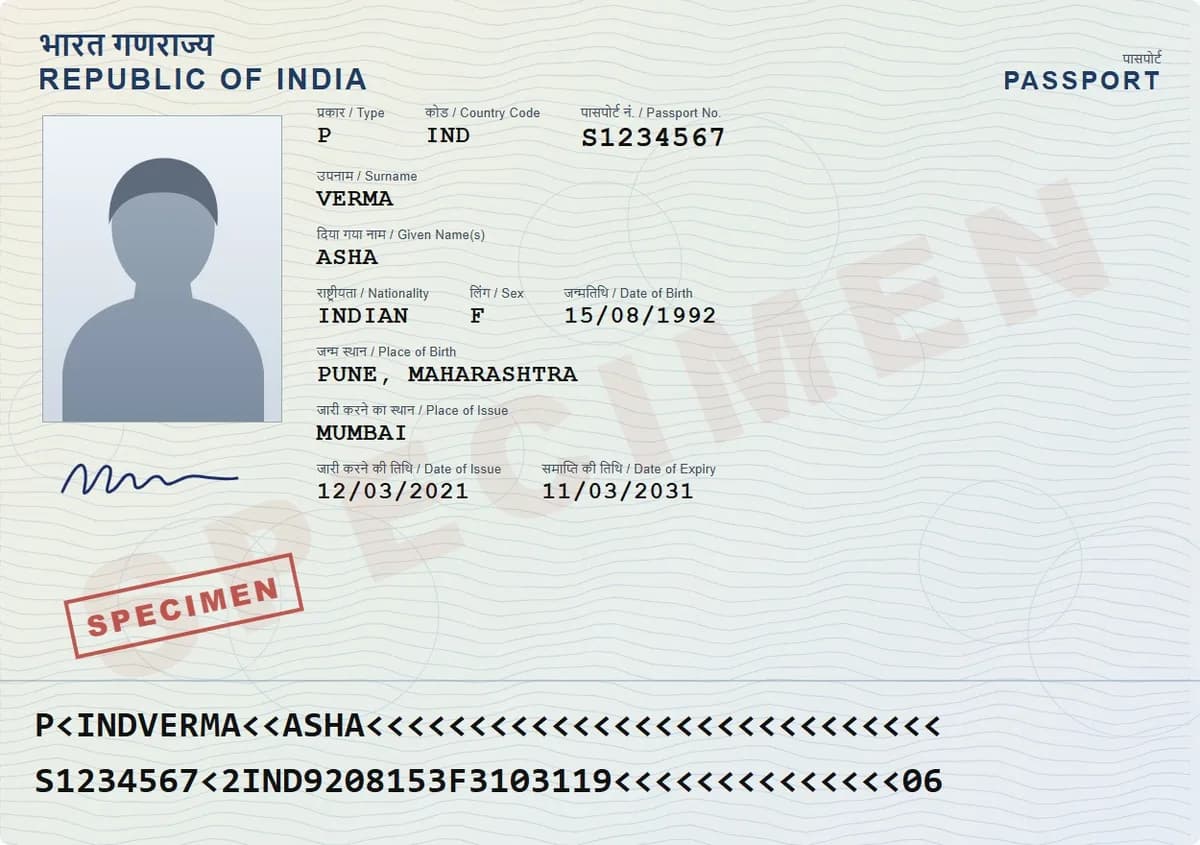
At a Passport Seva Kendra you need no photo: staff take it. Indian paper forms ask for 4.5 x 3.5 cm on white. OCI wants a square JPEG of 200 to 900 pixels, under 200 KB, on a light background that is not white. A US visa photo is a square JPEG of 600 to 1200 pixels, 240 KB or less.
The checklist
What to have ready
Last checked against the official sources on 1 October 2026
Indian passport
- At a Passport Seva KendraNo photo needed. Staff take your photograph and fingerprints at the counter.
- Paper application form4.5 cm tall x 3.5 cm wide, in colour, on a plain white background.Only if you apply on paper at a district or speed post centre
- Applying at an Indian mission abroad630 x 810 pixels, in colour, on white, and ICAO compliant since 1 September 2025.Only if you apply outside India
OCI card
- Photo uploadSquare JPEG, 200 x 200 to 900 x 900 pixels, at most 200 KB, face covering 80% of the frame, on a plain light background that is not white.
- Signature uploadJPEG, at most 200 KB.
- Printed photo2 x 2 inches (51 x 51 mm), in colour, on a plain light background.
Indian visa
- e-Visa photoSquare JPEG, 10 KB to 1 MB, on a plain light or white background.
- e-Visa passport pagePDF, 10 KB to 300 KB.
- Regular visa photoSquare JPEG, 10 KB to 300 KB, with the head 25 to 35 mm tall.
US visa
- DS-160 photoSquare JPEG, 600 x 600 to 1200 x 1200 pixels, 240 KB or less, in colour.
- Background and agePlain white or off-white, taken in the last 6 months, and no glasses.
- Diversity Visa lotteryExactly 600 x 600 pixels, JPEG, 240 KB or less.Only if you are entering the DV lottery
- Printed photo2 x 2 inches (51 x 51 mm).Only if you need a printed photo, such as for an immigrant visa
Official sizes in cm, pixels and KB
Indian passport, OCI and US visa
Hit the exact KB on your phone
Indian passport
No photo needed at a Passport Seva Kendra
Paper forms
4.5 x 3.5 cm, colour, white background
OCI
Square, 200 to 900 px, under 200 KB
US visa
Square, 600 to 1200 px, 240 KB or less
Indian passport: usually no photo at all
Passport Seva says a photograph is not required at a Passport Seva Kendra or Post Office Passport Seva Kendra: staff take it during your visit. Paper forms ask for a 4.5 x 3.5 cm colour photo on white, and applications at Indian missions abroad need a 630 x 810 pixel photo that meets ICAO rules.
OCI: square, light and not white
The OCI portal asks for a square photo between 200 and 900 pixels a side, no larger than 200 KB, with your face filling about 80% of it. The background must be plain and light, but not white, which is where many uploads go wrong.

Indian visas: square, up to 300 KB or 1 MB
The e-Visa takes a square JPEG between 10 KB and 1 MB on a light or white background, and your passport page as a PDF of up to 300 KB. A regular visa application caps the photo at 300 KB, with your head 25 to 35 mm tall.

US visa: 600 to 1200 pixels, 240 KB
For the DS-160, the State Department wants a square colour JPEG between 600 and 1200 pixels a side, no bigger than 240 KB. The background is white or off-white, the photo is less than six months old, and glasses are no longer allowed.
Hitting the exact size
Crop the photo to the shape the form asks for with your phone's photo editor. Then open it in DigiSafe, tap Make it smaller and type the limit, anywhere from 10 KB up. The smaller copy is made on your phone, and your original stays as it was.

Step by step
- 1
Check the official page for the form you are filling in.
- 2
Take the photo against the background it asks for.
- 3
Crop it to the shape the form wants, square for OCI and US visas.
- 4
Open it in DigiSafe and tap Make it smaller.
- 5
Type the KB limit and choose JPG.
- 6
Upload the smaller copy; your original stays untouched.
Questions people ask
What is the passport photo size in cm in India?+
Indian passport paper forms ask for 4.5 cm x 3.5 cm, in colour, on a plain white background. At a Passport Seva Kendra no photo is needed, because staff take it there.
Do I need to take a photo to the Passport Seva Kendra?+
No. Passport Seva says a photograph is not required at a Passport Seva Kendra or Post Office Passport Seva Kendra. It is taken during your visit.
What size is a US visa photo in KB?+
240 KB or less, as a square JPEG between 600 x 600 and 1200 x 1200 pixels. Diversity Visa entries need exactly 600 x 600 pixels.
Can an OCI photo have a white background?+
No. The OCI portal asks for a plain light coloured background that is not white.
Where this comes from
Official sources, dated.
Every requirement on this page comes from the official pages listed here, last checked on 1 October 2026. Rules change and offices can ask for more, so check the official page before you go.
- 1Passport Seva: Application instruction booklet (PDF)passportindia.gov.in
- 2Passport Seva: Steps to submit an application at a PSK (PDF)passportindia.gov.in
- 3Passport Seva: ICAO-compliant photographs for missions abroad (PDF)mportal.passportindia.gov.in
- 4OCI Services: FAQociservices.gov.in
- 5OCI Services: Photo specification (PDF)ociservices.gov.in
- 6Indian Visa Online: e-Visaindianvisaonline.gov.in
- 7Indian Visa Online: Regular visa instructionsindianvisaonline.gov.in
- 8US State Department: Photo requirementstravel.state.gov
- 9US State Department: Digital image requirementstravel.state.gov
Read next
PAN photo and signature size
A PAN application goes through Protean (formerly NSDL) or UTIITSL, and each sets its own upload limits.
Shrink to 100 KB or 200 KB
Upload forms reject files for being a few kilobytes too big, and then tell you nothing useful.
Visa documents
Every country sets its own list, but five things come up for all of them.
Do it in a minute, on your phone.
DigiSafe is free, encrypted on your device, and it works offline.