








Guide
PAN card photo and signature size for online applications
- Protean photo
- 3.5 x 2.5 cm, JPEG, 20 KB max
- Protean signature
- 2 x 4.5 cm, JPEG, 10 KB max
- Protean documents
- Black and white, 300 KB a page

A PAN application goes through Protean (formerly NSDL) or UTIITSL, and each sets its own upload limits. Here are both, from their official pages.

A real moment
“The PAN form rejects your signature for the fourth time. It wants 10 KB or less, and your scan is 180 KB.”
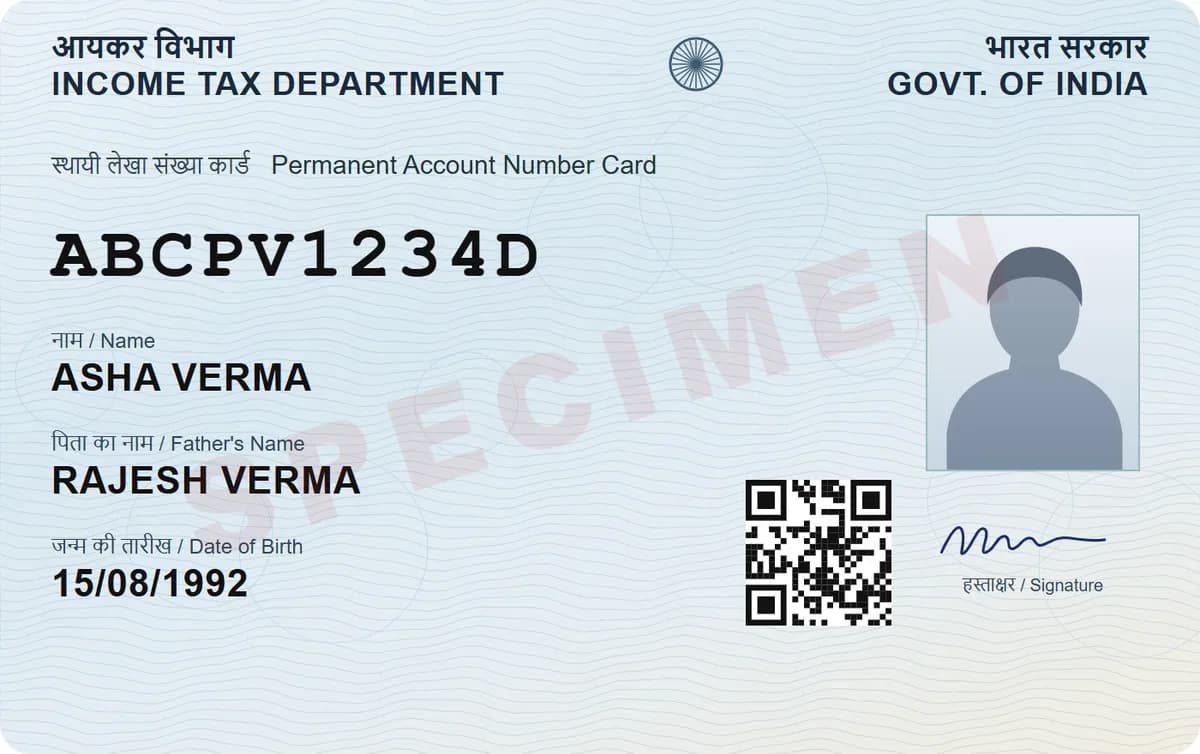
On Protean's online PAN form, the photo is a 3.5 x 2.5 cm colour JPEG of at most 20 KB at 200 DPI, and the signature a 2 x 4.5 cm JPEG of at most 10 KB. Documents are 200 DPI black and white, up to 300 KB a page. UTIITSL's form takes a photo under 30 KB and a signature under 60 KB.
The checklist
What to have ready
Last checked against the official sources on 1 October 2026
Protean (formerly NSDL)
- PhotoColour JPEG, 200 DPI, at most 20 KB, 3.5 x 2.5 cm.
- SignatureColour JPEG, 200 DPI, at most 10 KB, 2 x 4.5 cm.
- Proof of identity, address and date of birthBlack and white, 200 DPI, PDF/A or JPEG, at most 300 KB per page.
UTIITSL
- PhotoJPEG, JPG or PNG, under 30 KB.
- SignatureJPEG, JPG or PNG, under 60 KB.
- DocumentsPDF only, under 5 MB.
Paper forms
- Two colour photos for Form 934.5 cm x 3.5 cm, on a white background, not stapled or clipped. Sign across the left one only.Only if you apply on paper through Protean
- Two matching photos for UTIITSL4.5 cm x 3.5 cm.Only if you apply on paper through UTIITSL
Protean and UTIITSL, side by side
Photo, signature and document limits
Get a signature under 10 KB
Protean photo
3.5 x 2.5 cm, JPEG, 20 KB max
Protean signature
2 x 4.5 cm, JPEG, 10 KB max
Protean documents
Black and white, 300 KB a page
UTIITSL
Photo under 30 KB, signature under 60 KB
Protean (NSDL): the strict one
Protean's online PAN form wants a colour photo of 3.5 x 2.5 cm at 200 DPI, no bigger than 20 KB, and a colour signature of 2 x 4.5 cm, no bigger than 10 KB. Supporting documents go in black and white, as PDF/A or JPEG, at up to 300 KB a page.
UTIITSL: more room
UTIITSL does not publish a spec table, but its online form checks the files: a photo under 30 KB and a signature under 60 KB, as JPEG, JPG or PNG, and documents as a PDF under 5 MB. Third-party sites quote pixel sizes for UTIITSL that its own form does not check.

Paper forms need printed photos
Since 1 April 2026, new PANs for Indian citizens use Form 93, which asks for two recent colour photos of 4.5 x 3.5 cm on a white background, not stapled or clipped. Your signature or thumb impression goes across the left photo only. UTIITSL also asks for two matching 4.5 x 3.5 cm photos.

Getting a signature under 10 KB
Sign in dark ink on plain white paper and scan it in DigiSafe, which straightens the page and finds its edges. Crop to just the signature, then tap Make it smaller and set 10 KB. Black and white helps a signature stay sharp at a small size.

Step by step
- 1
Decide whether you are applying through Protean or UTIITSL.
- 2
Sign in dark ink on plain white paper.
- 3
Scan the signature and your photo in DigiSafe.
- 4
Crop each one to the shape the form wants.
- 5
Tap Make it smaller and set the limit, such as 20 KB for the photo and 10 KB for the signature.
- 6
Upload the smaller copies to the PAN form.
Questions people ask
What is the photo size for a PAN card application?+
On Protean's online form, a colour JPEG of 3.5 x 2.5 cm at 200 DPI, no bigger than 20 KB. UTIITSL's online form accepts a photo under 30 KB.
What is the signature size for a PAN card?+
Protean wants a colour JPEG of 2 x 4.5 cm at 200 DPI, no bigger than 10 KB. UTIITSL's online form accepts a signature under 60 KB.
Can I upload a PNG for my PAN application?+
UTIITSL's online form accepts JPEG, JPG and PNG. Protean's specification lists JPEG for the photo and signature.
What size should PAN supporting documents be?+
Protean takes them in black and white at 200 DPI, as PDF/A or JPEG, at up to 300 KB per page. UTIITSL takes a PDF under 5 MB.
Where this comes from
Official sources, dated.
Every requirement on this page comes from the official pages listed here, last checked on 1 October 2026. Rules change and offices can ask for more, so check the official page before you go.
Read next
Do it in a minute, on your phone.
DigiSafe is free, encrypted on your device, and it works offline.